
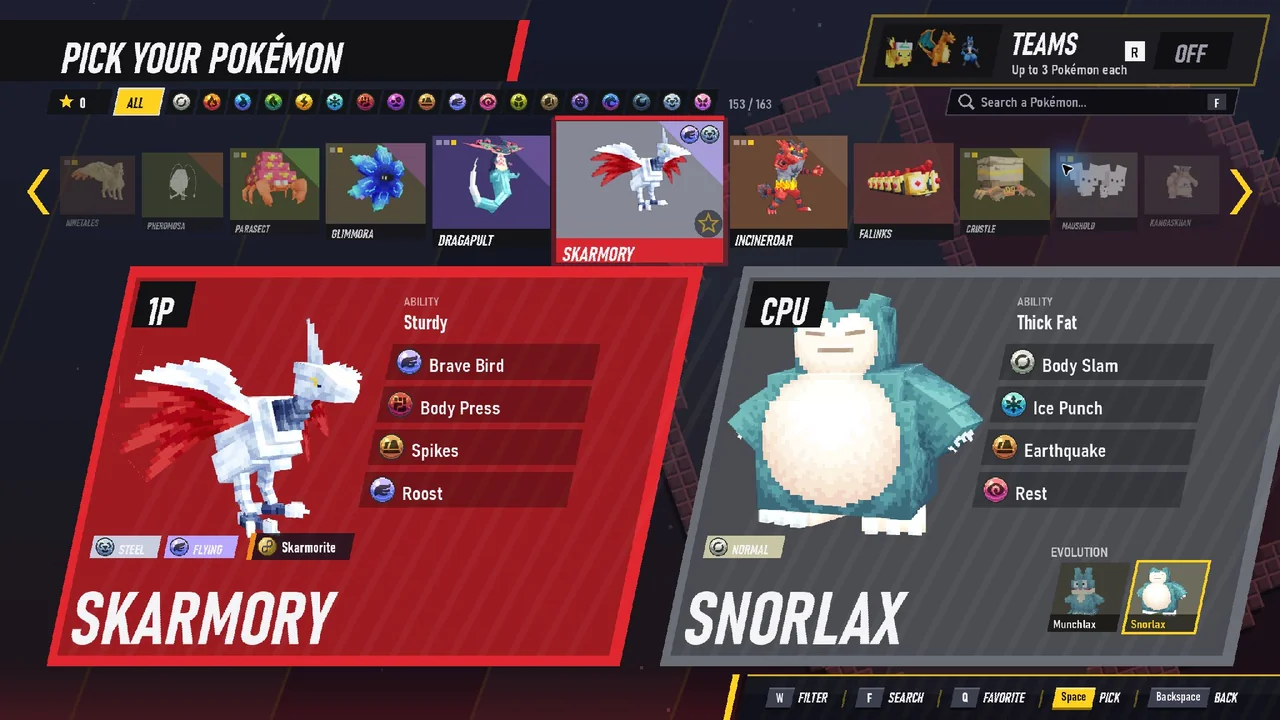
What is PokeBrawl 3D?
PokeBrawl 3D is a free, non-commercial Pokémon fan game built in Godot. You move a fighter around a three-dimensional arena, dodge attacks and choose when to use its moves. It is a downloadable game for Windows, macOS and Android. This website is an independent fan guide: it explains the project, points to the developer's release page and helps you check that a search result actually belongs to the game you meant to find.
The name alone is not enough to identify it. A separate pixel arena game also uses PokeBrawl in its name, and searches mentioning Cobblemon can lead toward Minecraft content. Before following instructions, compare the graphics, platform and repository. A browser game's keyboard shortcuts, character counts and room system do not automatically describe this 3D project.
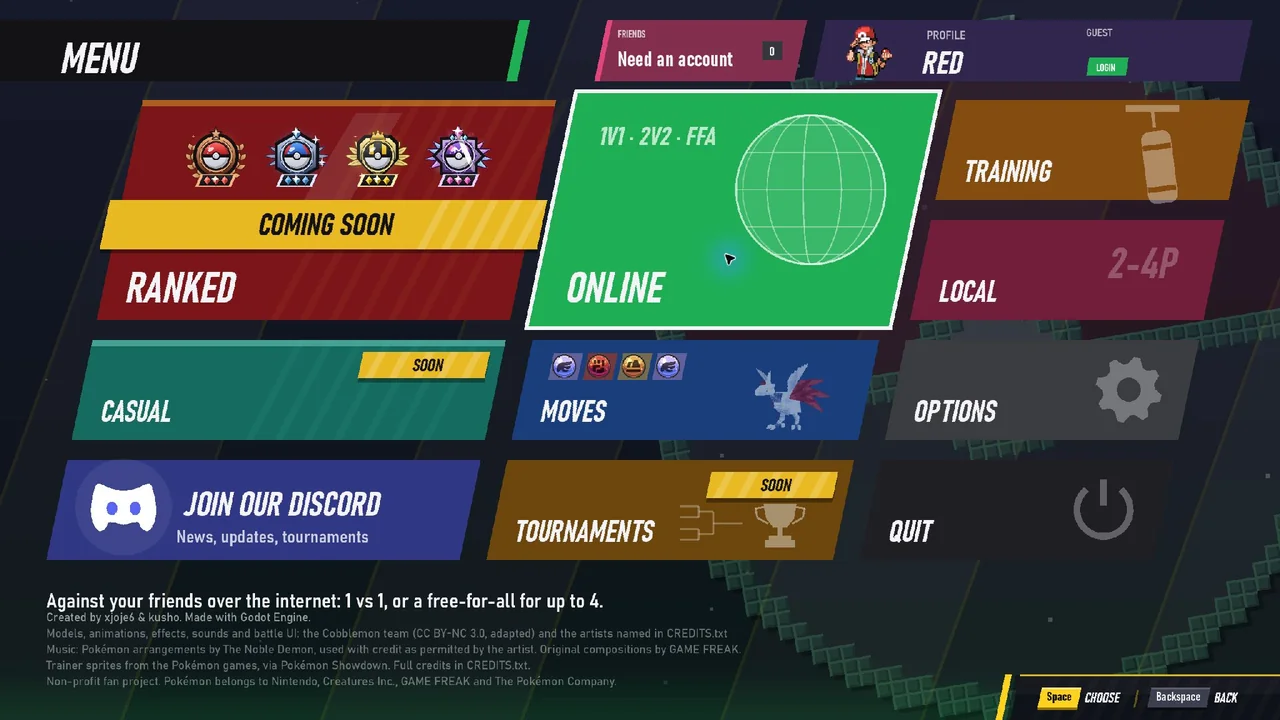
- 01Real-time movement in a 3D arenaPositioning, dodging, aiming and four selected moves replace the rhythm of a turn-based battle. The repository describes computer battles, training, online one-versus-one and online free-for-all.
- 02352 Pokémon in the current repository listThe README reports 59 Mega Evolutions and battle forms and 13 arenas. These are separate counts, not numbers to add together as unique base species.
- 03Free on Windows, macOS and AndroidThe developer distributes builds through GitHub Releases. This fan site does not host installers, offer mirrors or sell access to the game.
Last checked 2026-11-28 · Source: developer repository and README. Counts describe that source at review time; the release you install may differ.
Preview the stage boundaries and hazards in pokebrawl arenas.
Developer trailer showing real-time 3D Pokémon arena battles, movement and attacks.
This is a historical trailer. Pokémon, form and arena totals shown in it may be older than the current repository. The reviewed README reports 352 Pokémon, 59 Mega Evolutions and battle forms, and 13 arenas (last checked 2026-11-28).
Clicking Play loads an external YouTube privacy-enhanced player. The video is hosted by YouTube, not this fan guide.
3D download or browser pixel game?
| PokeBrawl 3D download | Separate browser pixel game |
|---|---|
| Install a platform build from the developer's GitHub Releases. | Loads a pixel arena game in a browser. |
| 3D Pokémon models and a moving arena camera. | Sprite-based presentation and its own controls. |
| Use the 3D repository's roster and network instructions. | Use that project's own help and roster; counts are not interchangeable. |
If you expected a Play button that immediately opens a pixel battle in this tab, stop before installing anything. The which pokebrawl comparison shows where those projects separate, including the difference between borrowing Cobblemon models and actually being a Minecraft mod. You do not need to install Minecraft to run the standalone 3D build described here.
If the moving 3D battles are what you came for, read the pokebrawl 3d explanation for the game's identity and scope. Then use the pokebrawl download guide to choose a Windows ZIP, macOS ZIP or Android APK from the official release page. Keep the package name and release tag together when troubleshooting: a video title is not a reliable version identifier.
Learn movement before adding more moves
Start with the game's training option and one Pokémon you can recognize easily. Find movement, camera, jump, dodge and lock-on before changing a complete team. The official keyboard table lists WASD for movement, mouse for the camera, Space for jump and Shift for dodge. Those are starting defaults, not a requirement to keep an uncomfortable layout: the README says bindings can be changed in Options, including from the pause menu.
Each Pokémon's moves come from its own available learnset. Read the power, cooldown, reach and timing descriptions before treating two attacks as interchangeable. A stream that needs manual aim asks something different of you from a homing projectile or a melee dash. The how to play pokebrawl guide puts controls and move selection on one page so you can connect a button to the action it performs.
For a first practice routine, move without attacking, dodge a visible attack, then try one move at a distance where you can see its reach. Add another move once you can explain why you would use it. These are learning suggestions from this fan guide, not claims that a particular build guarantees wins. The pokebrawl pokemon list gives searchable names and types from the repository without pretending to be a tested competitive tier list.
Check versions before inviting a friend
The developer states that Windows, Mac and Android players can play together and that everyone online needs the same version. Compare the installed version with your friend's before investigating a connection failure. Updating just one device can leave a working connection unable to form a compatible match. Keep any error message, the platforms involved and the release tags when asking for help.
Online one-versus-one and a free-for-all for up to four players are described in the current README. A mode visible in a screenshot is not sufficient evidence that it is usable in every build. For modes that an official screen labels Coming Soon, the correct reading is “officially marked coming soon,” not a promise that the queue can already be entered. See pokebrawl multiplayer for the distinction between documented play, unresolved setup details and old instructions.
For the developer's community and support channels, use pokebrawl discord. This independent fan guide does not operate the server or collect player logins.