
How do I start an online match?
This PokeBrawl multiplayer guide covers the downloaded 3D game. A room code or control guide for the similarly named browser pixel fighter belongs to a different project. Before inviting a friend, confirm that both of you installed the standalone game from the developer's GitHub Releases and compare the installed version numbers.
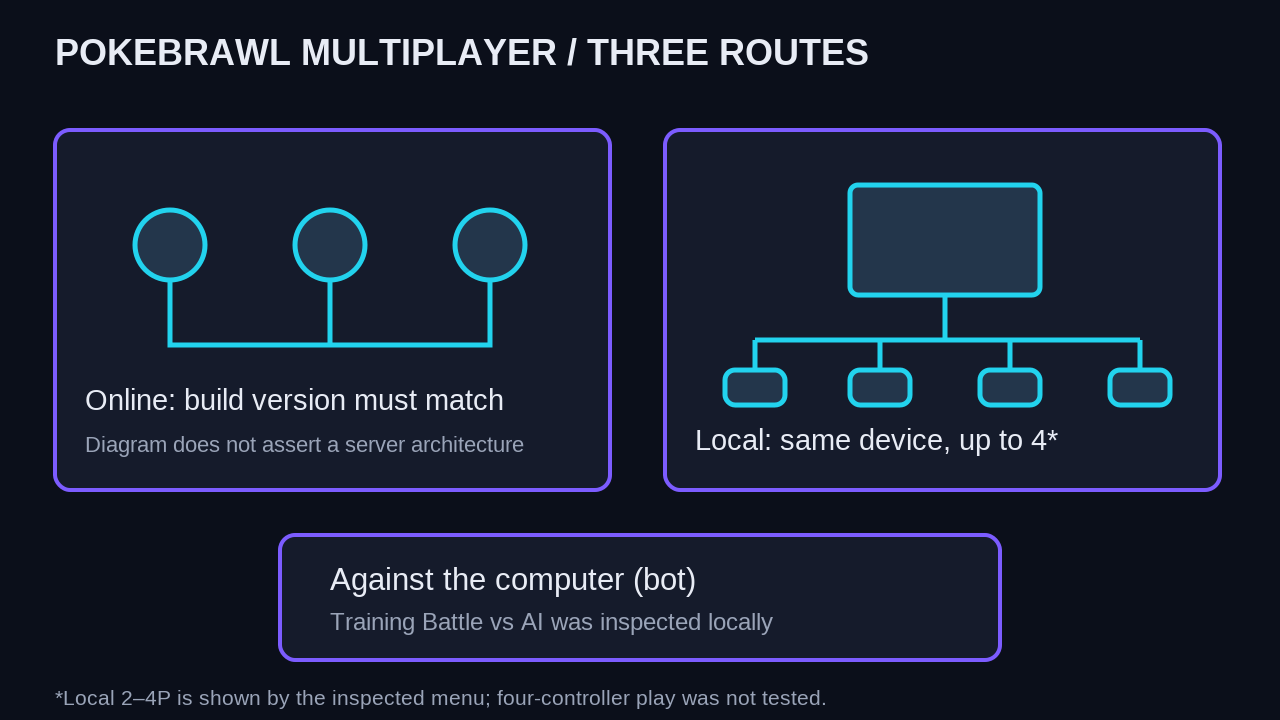
The current README documents online one-versus-one and online free-for-all for up to four players. It does not provide a complete current menu-by-menu room walkthrough. Exact current host, join and invitation labels are therefore not documented in the official README (checked 2026-11-28). Use the Online options visible in your installed build and follow any on-screen version warning before changing network settings.
The original developer's demo README describes Online, then Host game on one device and Join with the host's IP on the other. It also describes selecting fighters and getting ready before battle. Those are documented demo instructions, not a guarantee that every later build uses an identical menu. If your current screen differs, keep the current build's directions rather than trying to reproduce an old screenshot.
| Format | Status checked 2026-11-28 |
|---|---|
| Online 1v1 | Listed in the current official README. |
| Online free-for-all, up to 4 players | Listed in the current official README. |
| 2v2 team battles | The official v0.10.0 announcement describes online and local 2v2. A current team match was not tested by this guide. |
Can Windows, Mac and Android play together?
Yes: the developer explicitly states that Windows, Mac and Android players can play together. The same instructions say everyone online needs the same version. Cross-platform support concerns compatible copies of this 3D game; it does not connect the 3D client to a browser game's servers or make different release tags compatible.
Use pokebrawl download to find the documented package for each device. If one computer accepted an automatic update while another device stayed on its older build, check the actual installed tags rather than assuming the original download date proves a match. On Android, opening a new download is not the same as completing its installation.
Regional servers are documented by the developer: the pokebrawl v0.10.4 update named Europe, North America and South America, and the pokebrawl v0.15.0 update added Tokyo and Singapore. The earlier notice described automatic lowest-ping selection with a manual override. These are dated location announcements, not an uptime report or a guarantee about your present latency.
Why can't my friend join?
- Compare versions first. Both players should read the version shown in their installed game. The official instructions state that a mismatch can prevent a battle from starting. Update from the official release source and check again.
- Check the invitation details. Compare the host address or invitation shown by the current build. If that build offers a room password, enter exactly the host's value. The existence and current labels of password-protected rooms are not documented in the official README (checked 2026-11-28) in the reviewed documentation, so this is a conditional check, not a claimed feature.
- Separate reachability from latency. A connection that never forms needs different information from a battle that starts with delay. Record the message, selected region if shown and ping if available. No official universal ping threshold or region-fixing recipe was found.
The original demo README mentions local IPs, automatic router port opening where available and UDP port 7777 for its direct-host setup. Use those details only when the installed version's own documentation still calls for direct hosting. Do not open arbitrary ports or disable an entire firewall just because a video used an older menu. For an error report, include both platforms, both versions and what step failed.
How does local multiplayer work?
The official pokebrawl v0.10.0 update announced same-device split-screen for 2–4 players and local 2v2. That is separate from the older demo's host-IP instructions for devices on a network. Use the current Local route for shared-device play; use a direct-host procedure only when your installed build still documents it.
The inspected Windows v0.16.16 menu also shows “Local 2–4P”, consistent with that announced route. We did not complete a four-controller match or independently verify split-screen behavior. The announcement confirms the feature was released; it is not a complete current controller-pairing walkthrough. Follow your installed build's Local screen and record any limitation it displays.
Once everyone can connect, use how to play pokebrawl to check movement, targeting and move slots before judging a connection from a chaotic first fight. Test a simple documented format first, then investigate another format only if your current build offers it.
Are Ranked and Casual available?
The developer announced Ranked opening in the pokebrawl v0.15.0 update and Casual in the pokebrawl v0.16.10 update. These dated official-channel records confirm released modes; they do not monitor whether a queue is currently reachable. Our local Windows v0.16.16 menu displayed Coming Soon / Soon placeholders, and we only tested Training against the computer. Those local labels do not override the release announcements. Tournaments was marked Soon in that inspected menu; its availability is not confirmed by the reviewed announcements.
Keep three questions separate: has the developer announced a feature, does your installed copy let you enter it, and is its online service reachable now? A local placeholder can answer the second question for that screen but does not settle the other two. For unreleased features still described as coming soon in the latest relevant official record, keep that status until a later announcement confirms release. Last checked 2026-11-28.
Last checked 2026-11-28. Sources: current official README, latest checked release and original demo instructions.
For the developer's community and support channels, use pokebrawl discord. This independent fan guide does not operate the server or collect player logins.